After trying nearly every radial menu app I could find for Mac, Radial is one of the best I’ve used. What stands out to me is its ability to perform so many useful actions beyond simply launching apps.
I’d love to suggest an option to adjust the menu’s starting angle or rotation offset.
Current layout vs. proposed layout
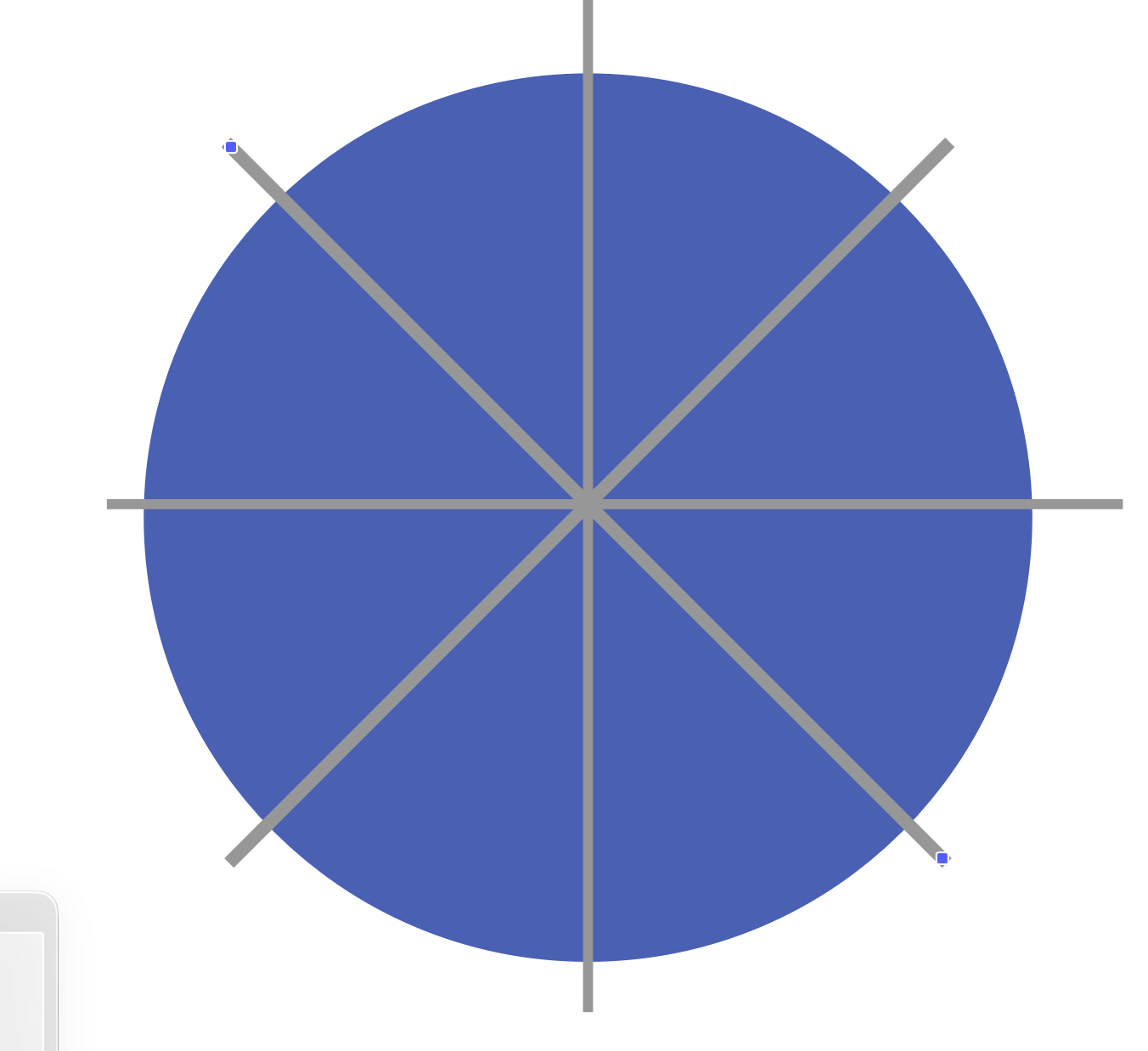
With eight items, the current layout places the boundaries between slices along the up, down, left, and right directions.
[Insert Image 1: Current layout]
Rotating the layout by 22.5° would place the center of a slice in each of those directions instead.
[Insert Image 2: Proposed layout]
Why this would help
Directional actions would feel more intuitive. For example:
Volume up at the top and volume down at the bottom.
Brightness controls arranged vertically.
Previous and next desktop on the left and right.
Window snapping actions positioned in their corresponding directions.
This way, moving the mouse toward the intended direction would select the corresponding action rather than land between two slices. It would also preserve the menu’s usefulness as an app launcher.
Design considerations
I understand that a single Radial menu supports one to nine custom items, so this eight-item example is only one configuration. This is a personal preference based on how I use Radial, and I appreciate that supporting different item counts well may require more careful design than simply rotating the menu.
An optional rotation offset or alignment setting might be useful, while keeping the current layout available for those who prefer it.
Is there already a hidden setting for this? If not, would you consider exploring it?
Simplified Chinese support
Separately, are there any plans to add Simplified Chinese support? It would make the settings and action editor much more approachable for Chinese-speaking users.
Thanks for building such a thoughtful tool and for considering these suggestions!